Tableau Deep Dive: Parameters – Bins
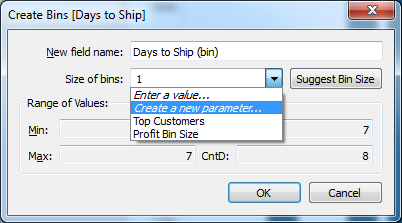
In the next article of our Deep Dive on parameters, we’ll explore how we can use parameters to allow our report users to choose the size of their bins within a histogram. Histogram Review We talked about the histogram in our Tableau Essentials series here. It’s a visual representation of data, grouped by bins. Let’s […]
Extract U.S. Economic Data Directly to Tableau with Our Federal Reserve WDC
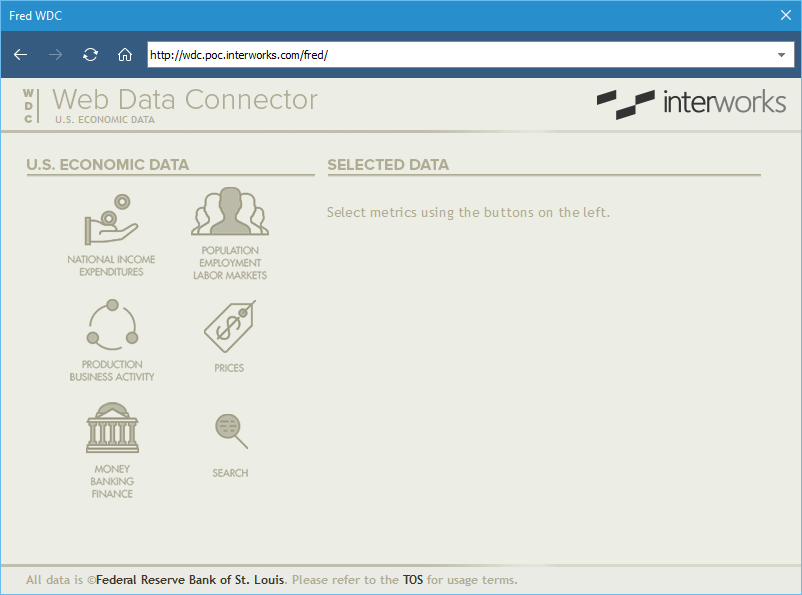
Have you ever needed an easy source of GDP data over time? Maybe your project calls for unemployment rates or federal debt. Luckily, the Federal Reserve Bank of St. Louis has a treasure trove of interesting economic metrics like these in a database named “FRED”. Collecting this data isn’t terribly complicated, but it can be time […]
InterWorks Ready for Another Epic Tableau Conference on Tour in London
Above: Scenes from the infamous photo booth at last year’s conference. It’s that time of year again: The 2016 Tableau Conference on Tour is headed to London! If you’ve been to a Tableau Conference of any sort in the past, you know they’re amazing. If you have yet to attend, let us assure you that the […]
Plan Your Sessions at the 2016 London Tableau Conference On Tour
It’s here! The Tableau Conference rolls round to London, packed full of amazing keynotes and enlightening sessions from both customers and Tableau themselves. To help you make the most of your time at the London conference Fabian Zimmer has put together this beautiful interactive guide to the event. (click the image to see the dashboard in its full […]
Tableau Deep Dive: Parameters – Filtering Across Data Sources
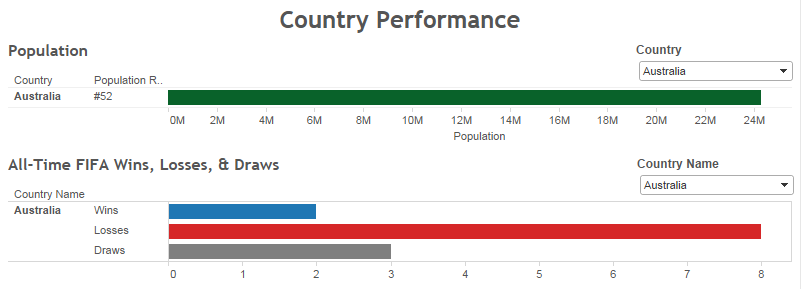
In the last two articles of this parameters Deep Dive, we’ve learned how to use parameters with filters and within calculated fields. Now, let’s combine these skills and use a parameter to filter across disparate data sources. Quick Review Remember, filters are different than parameters. Filters are specific to a data source, parameters are not. […]
5 Essential Tableau Training Resources
Every day, we are contacted by individuals that are aware of the great potential in Tableau but have no background in data analytics. They are keenly interested in learning Tableau as quickly as possible. As a certified Tableau training partner and 2015 Tableau Training Partner of the Year, InterWorks has helped hundreds of individuals grow in mastery […]
Heading to Alteryx Inspire 2016? So Is InterWorks.
Are you ready to be inspired to do more with your analytics practice? We’ve got just the event for you: the aptly named Alteryx Inspire 2016! This conference is the biggest Alteryx event of the year, packed with all sorts of keynotes and breakout sessions to help you take your analytics game to the next […]
Tableau Driver’s Ed: Extracts
It’s worth exploring the data you use with Tableau a bit further. In our last article of the Driver’s Ed series, we talked about adding data sources to your Tableau team. The business side sources the data, and the IT side incorporates and manages it. Tableau offers another distinction when it comes to using data […]
Tableau Deep Dive: Parameters – Calculated Fields
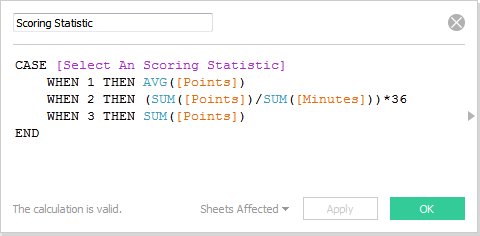
When you combine parameters with calculated fields, you’re unlocking the potential of some powerful stuff. Obviously, no matter how deep our deep dive could go, there’s no way I could show you everything that is possible. So, we’ll use a couple of examples to get your imagination primed. The Calculated Field Editor As a quick […]
Tableau Dashboard Layers: Ordering Floating Elements to Improve UX
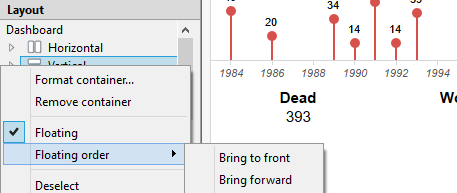
In a previous blog post, I mapped America’s Deadliest Shootings based on a timeline put together by the “Los Angeles Times.” A topic not often discussed is the order of elements when laying out floating containers on your dashboard and how this can ultimately impact user experience. Notice the context menu when right-clicking on an […]