The Portals for Tableau New Features series is designed to keep users up to date with all the latest features being added to InterWorks' embedded analytics solution, Portals for Tableau.
Curator by InterWorks is a portal platform that unifies your dashboards, AI apps and AI artifacts in one place. Learn more: interworks.com/curator
Portals for Tableau are created and maintained by lazy people. Many people that administer and use Portals for Tableau are also lazy people. This is not a bad thing. In fact, I would argue it’s dumb to do more work than is necessary. As a result, we like to build features that allow us to be even lazier.
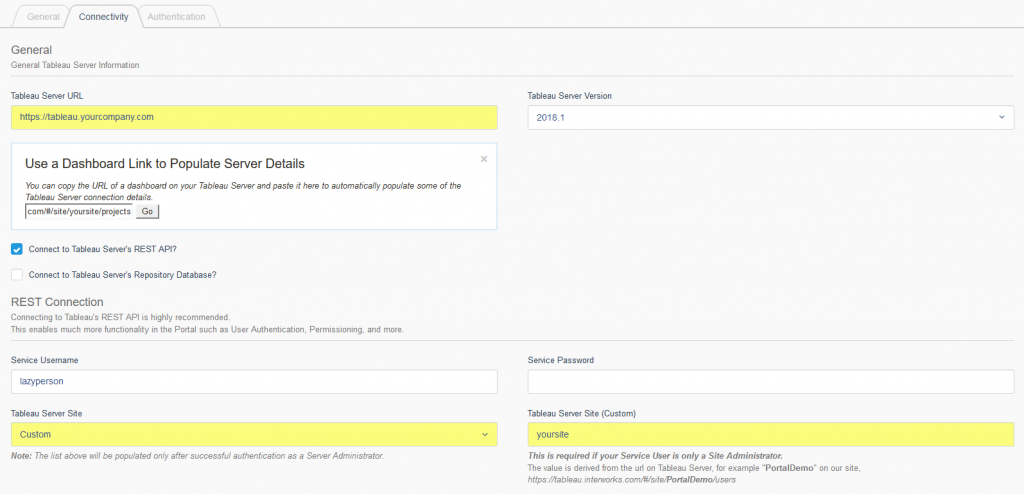
Up until now, when you are connecting your portal to your Tableau Server, we’ve completely and unreasonably asked for the Server’s URL in one field and the site in another field. We’ve corrected that problem. You can now copy a link from your Tableau Server, paste it into a specific box, click a button and those fields are automatically populated for you. It’s almost as good as reading your mind to populate the fields for you, but we were too lazy to implement telepathy. Maybe one day.
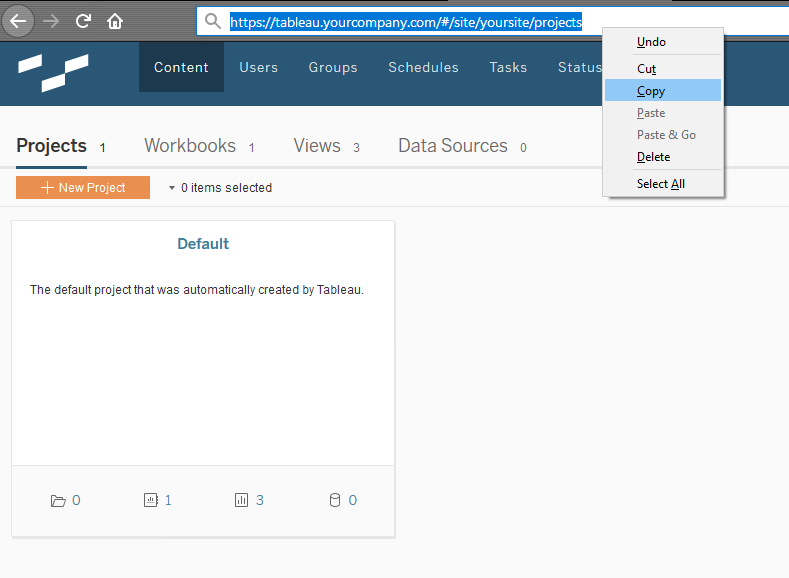
Step 1: Copy Your Link
Step 2: Paste Your Link
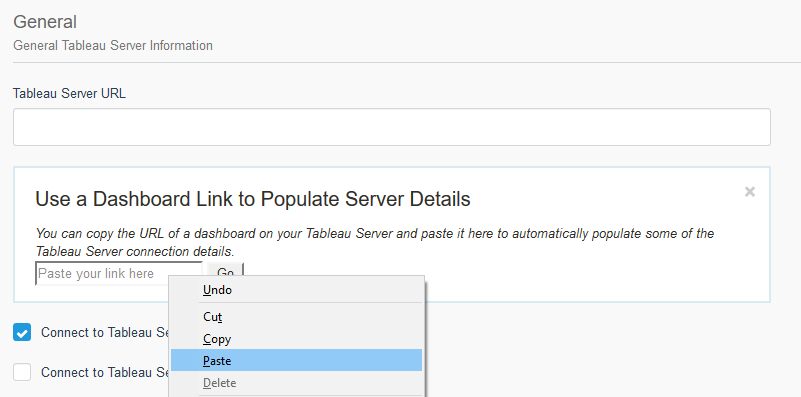
Step 3: Click a Go Button