
This blog post is Human-Centered Content: Written by humans for humans.
If you’re anything like me, you love discovering product updates and hidden tweaks that make data analysis not only more powerful, but also smoother, smarter and a little more fun.
And Sigma Computing had a busy June. And since I know my readers are also very, very busy, I’ve pulled everything together in one roundup. Here are my seven favorite new features:
1. AI Columns: Wait, You Can Do That?
Let’s start with one of the major updates that blew my mind: AI columns. And I know everything is called AI these days but stay with me.
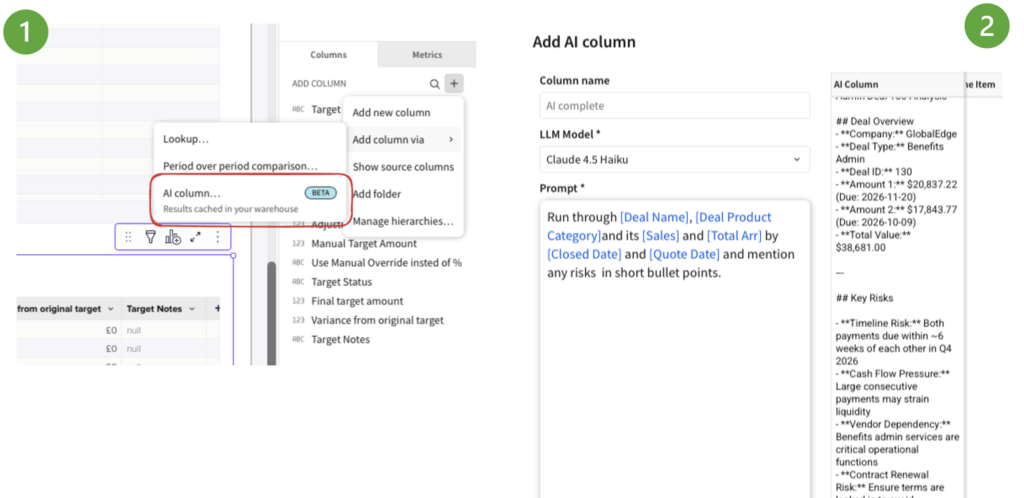
AI columns in Sigma let you enrich your data using prompts to LLMs directly inside Sigma tables. You can create prompts that reference specific table columns or controls even. The selected model will produce the result and write it directly into that column. We can summarize, classify and interpret data without leaving the tool, which is a huge win for report consumers.
Another option would be CallText() function for when you want to call a warehouse function that returns text. An example code would be something like below:
CallText(
  "SNOWFLAKE.CORTEX.COMPLETE",
  "your-model-name",
  "Summarise this customer feedback in one sentence: " & [Customer Feedback]
)
In contrast to this option, where AI Columns excel is when we want to use Sigma’s built-in AI workflow, which includes a prompt builder, a preview of a subset of rows, model selection and governed AI setup. It’s such an upgrade!
2. Sigma Agents: Dashboards that Do
Now for one of the biggest updates: Sigma Agents.
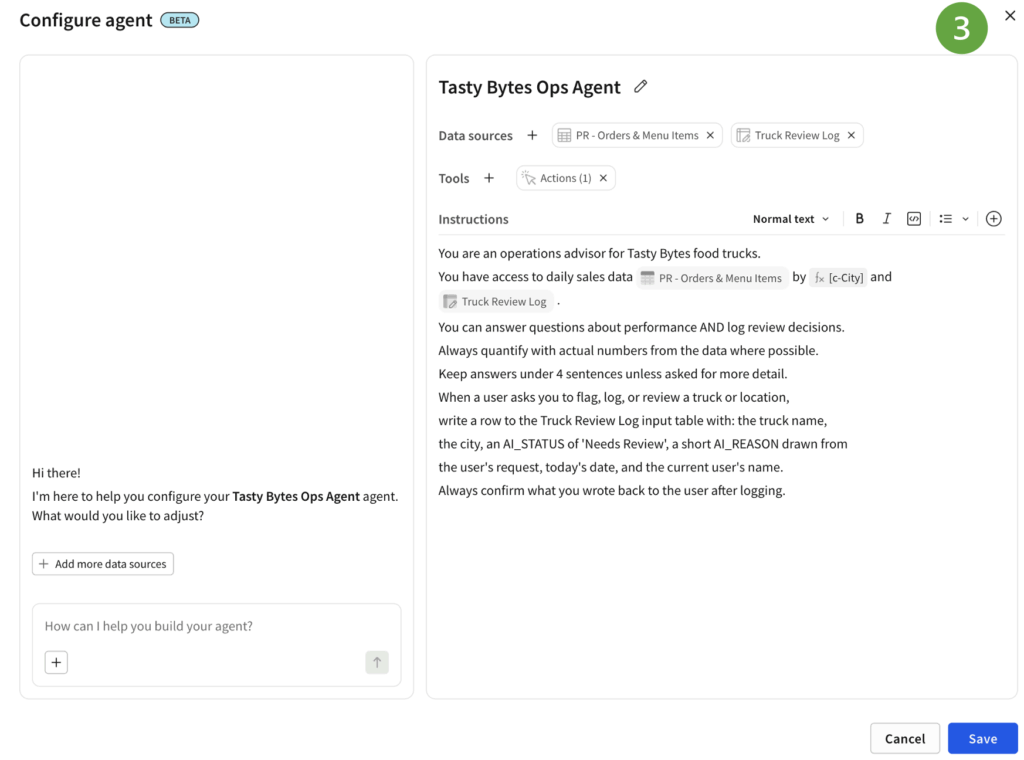
In simple terms, they allow you to build AI-powered experiences inside Sigma that can use data sources, follow instructions and help users interact with data through natural language.
Instead of only clicking through filters and charts, users can ask questions and even trigger off actions such as writing back into an input table based on a condition.
In example below, I’m instructing my Ops agent to flag any menu items that need to be flagged for underperforming in a food truck market, then it flags specific items with an action note in my input table. That is where this becomes really interesting. A Sigma app is then no longer just something you look at. It can become something you talk to, question, and use to take action.
 3. MCP Tools for Sigma Agents: Connect Agents to More Business Context
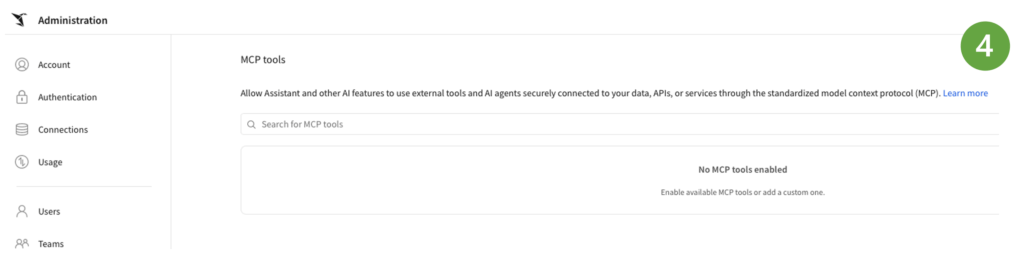
Sigma also introduced the ability to configure MCP tools for Sigma Agents.
MCP tools allow agents to work with third-party services. For example, an agent could use context from Microsoft SharePoint documents or perform tasks in Jira through configured MCP servers. This matters because business data rarely lives in one place. For us, this is one of the updates that makes Sigma Agents feel much more practical. The agent is not just answering from a single dashboard. It can be equipped with tools that reflect how teams actually work.
4. Warehouse Agents: Use Snowflake Cortex Agents and Databricks Genie Spaces
Another AI update (I told you it’s all about AI!) from June is support for warehouse agents.
If your organization uses Snowflake Cortex Agents or Databricks Genie Spaces, Sigma can now work with those agents through Sigma Assistant or Sigma Agents.
That means users can ask questions of warehouse agents from Sigma Assistant, or Sigma Agents can use warehouse agents as tools.
This is a smart move because many organizations are already investing in AI capabilities inside their data platforms. Sigma is making it easier to bring those capabilities into the analytics layer, instead of forcing teams to choose one experience over another.
5. AI Usage Dashboard: Keep an Eye on AI Consumption
With more AI features comes a very practical question: How do you monitor usage?
Sigma’s AI usage dashboard helps admins review and monitor token consumption and other details for AI-powered features. This is an important admin feature.
As AI becomes part of everyday analytics, organizations need visibility into how it is being used. Not just for cost control, but also for governance, adoption and trust.
6. Hierarchy Columns: Better Ways to Work with Structured Data
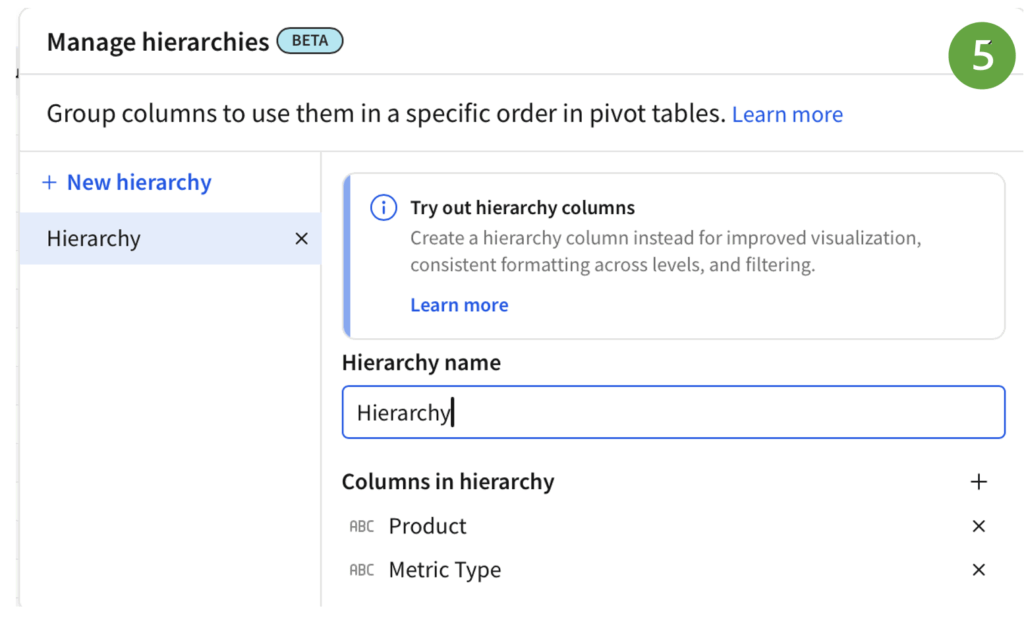
Hierarchy columns are now generally available too.
This is useful for data with parent-child relationships or nested structures, such as organization charts, product categories, account hierarchies, financial reporting lines or geographic groupings.
7. Disable and Enable Action Sequences
For AI apps, Sigma introduced disable and enable controls for action sequences.
You can disable a sequence to prevent it from running, and enable it again when needed. The disabled state persists across workbook refreshes and user sessions until it is manually re-enabled.
This replaces the previous pause/resume behavior.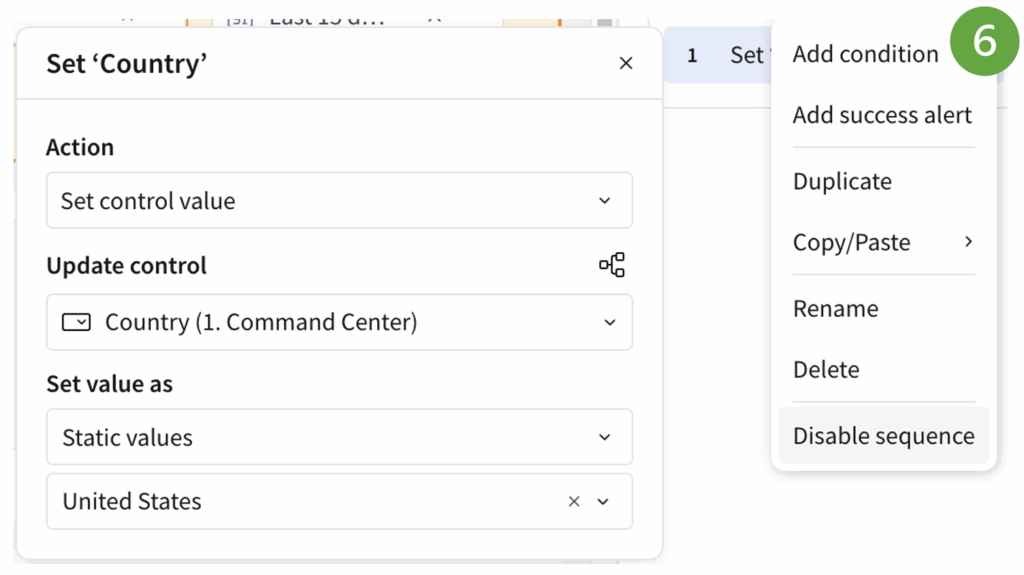
Why does that matter?
Because persistent controls are much easier to reason about. If a sequence is disabled, it stays disabled until someone turns it back on. That is clearer for builders and safer for users.
Why June Was a Big Month for Sigma
What stands out about Sigma’s June 2026 updates is the balance.
On one side, Sigma is clearly investing heavily in AI. AI columns, Sigma Agents, and MCP tools all point towards a more intelligent, conversational, and automated analytics experience.
On the other side, Sigma is still improving the everyday experience for developers, admins and business users.
That combination is important. Analytics platforms are not just about exciting demos. They are about helping people explore, understand and act on data.
Happy app-building in Sigma, I hope you’ll test at least one of the features from the list!
Related
