
Before Sigma, my world was Power BI and Tableau. I knew where things lived, what a measure was, what a calculated field was and how to get a dashboard to look right. Then I was introduced to Sigma. For the first week, I kept translating everything back into the tools I already knew.
That stopped working pretty quickly, and in a good way. My first Sigma project showed me that a BI tool can do more than report what happened. It can be the place where the next decision gets made.
What I Built in Sigma
My first project is a Sigma workbook called Inventory Health, built for a clothing retailer. It tackles a problem every retailer has: stock that sits on the shelf too long. The home page opens with a line I’m fond of: “Somewhere in the warehouse, a bomber jacket has been sitting on a shelf for 29 months.”
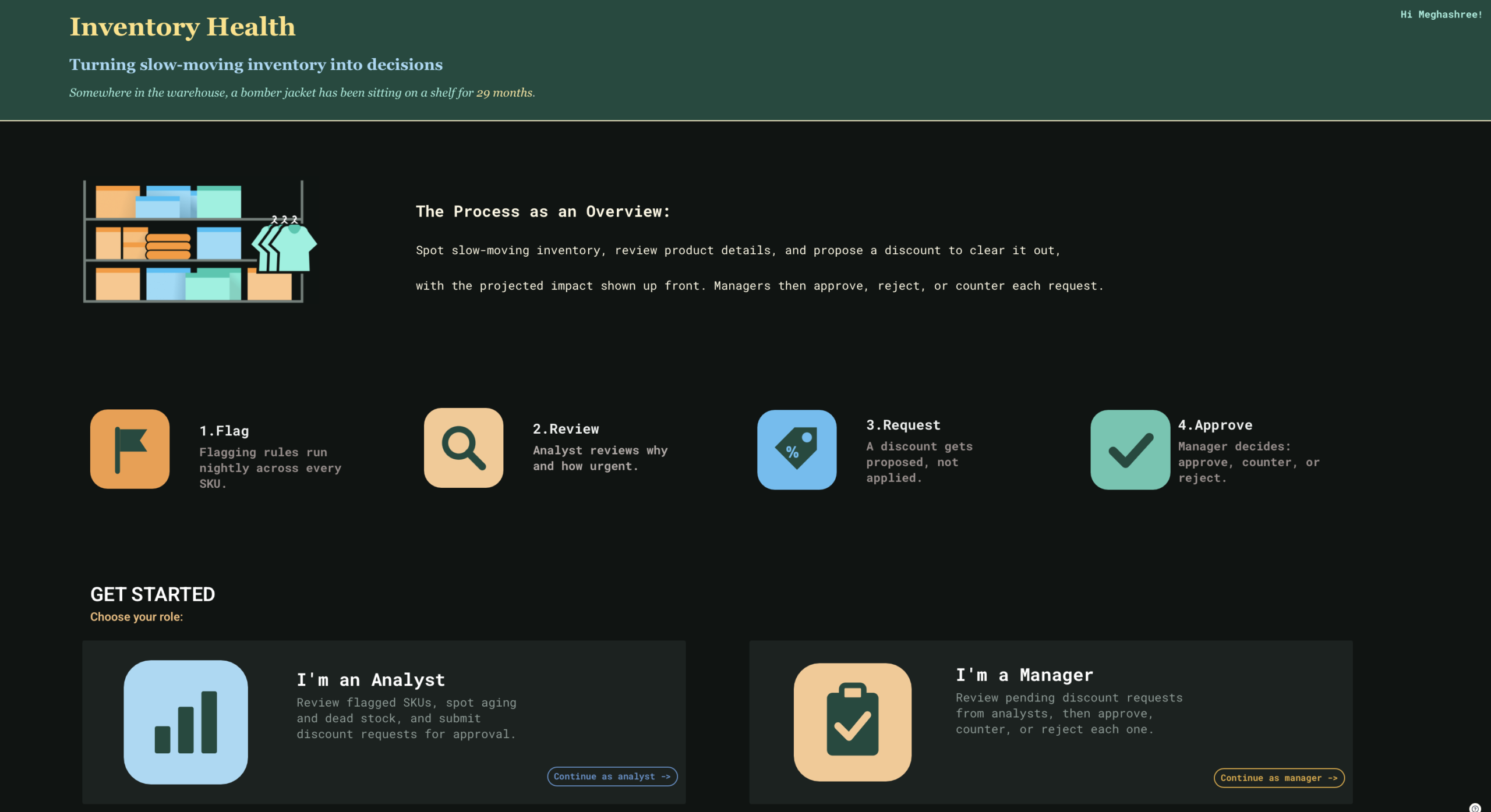
The workbook turns that slow-moving inventory into decisions in four steps:
- Rules run across every SKU and flag anything with weak sell-through, long shelf time or heavy discounting.
- An analyst looks at the flagged items and decides how urgent each one is.
- If a discount makes sense, the analyst proposes one. Nothing changes on the shelf yet. It’s only a request.
- A manager approves, counters or rejects it.
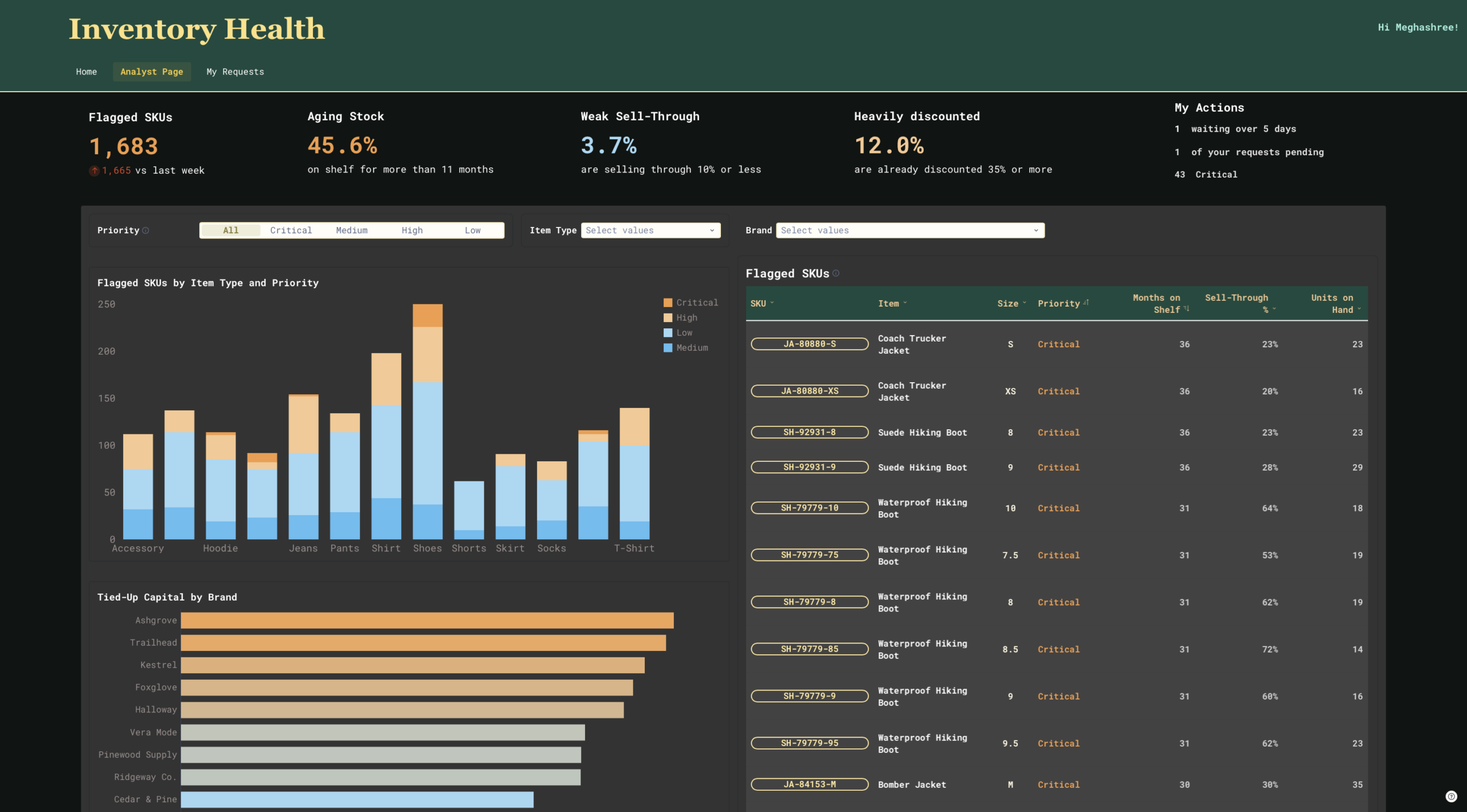
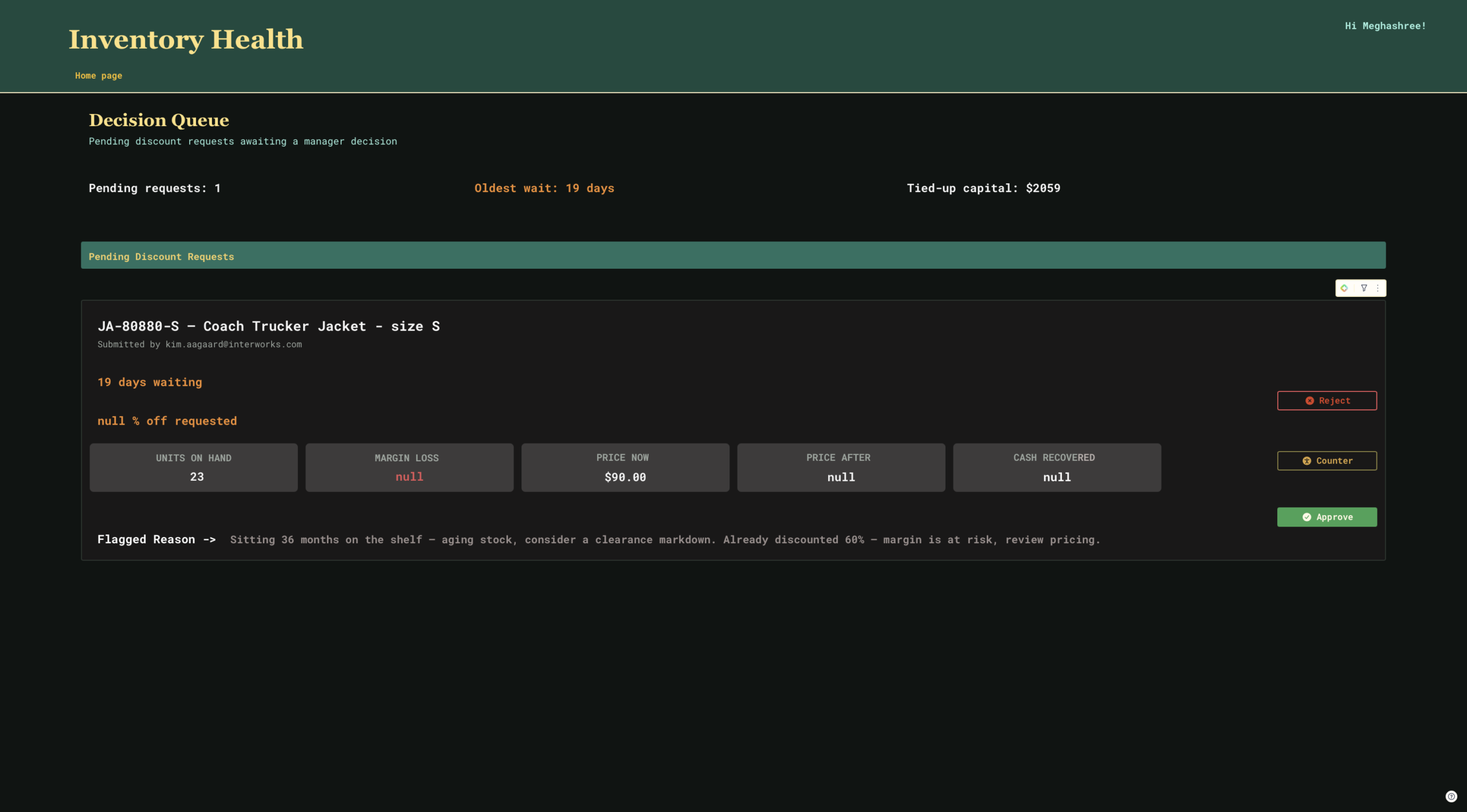
Analysts and managers each pick their own path from the home page. Analysts land on a triage page with flagged SKUs, priorities and tied-up capital by brand. On the day I took these screenshots, it had flagged 1,683 SKUs. Managers land on a decision queue with one card per pending request. Analysts also get a My Requests page that tracks everything they’ve submitted and where it stands.
The Part That Surprised Me
In Power BI and Tableau, I was used to building reports that people look at. Someone checks the number, closes the dashboard and the real work happens in an email thread or a meeting.
In Sigma, the work happens inside the workbook. When an analyst clicks Request Discount, the request is written back to the warehouse through an input table. When a manager clicks Approve, that decision is saved too, and the requester gets an email with the status. I still remember the first one that landed in my inbox. It closed the loop on the whole process, and that’s when the project stopped feeling like a dashboard and started feeling like a small app.
Five Features I Leaned On
- Input tables. This was the biggest one for me. Capturing requests and decisions right where the data lives, without a separate tool, is what makes the whole approval flow possible.
- Controls that drive everything. I set up controls for sell-through %, months on shelf and discount %. Change one, then every calculation and chart downstream updates with it. It’s much easier to see what a threshold change actually does when you can watch it ripple through the page.
- Building in stages. Instead of one giant formula, I split the logic across five staged tables, from sell-through trailing averages to comparing each SKU against its item type. Each stage is easy to check on its own, which made debugging much less scary.
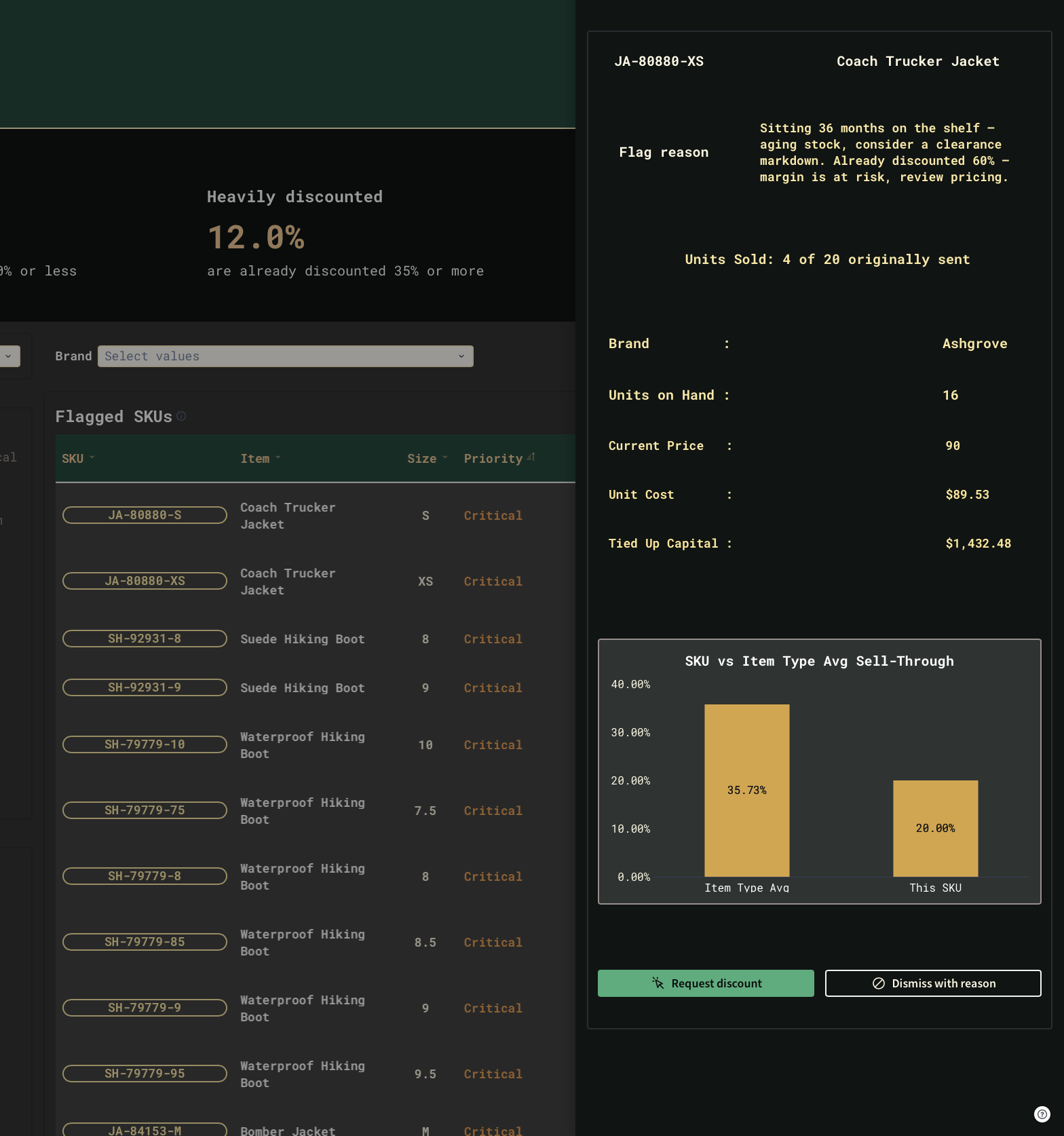
- Drawers, modals and forms. Clicking a SKU opens a detail panel with its flag reason and a chart comparing it to the item-type average. From there, you can request a discount or dismiss the flag with a reason, and you never leave the page.
- The repeater. The manager queue is one repeated container, so each request becomes its own card with Approve, Counter and Reject buttons. It was far simpler to build than I expected.
What Felt Different Coming from Power BI and Tableau
Sigma doesn’t split the tool into neat parts the way I was used to. Data prep, calculations, visuals and even app behavior all happen in the same place. It feels closer to a spreadsheet that grew up. That took some getting used to. In Power BI, I always knew where a measure lived.
In Tableau, I knew where to drag a calculated field. In Sigma, I kept looking for the “place” where I was supposed to build my logic. Perhaps it was some separate model view or calculation pane. There wasn’t one. The formula just goes in a column, right on the table, like a spreadsheet. I spent far longer than I’d like to admit hunting for a menu that didn’t exist before I realized I was already standing in the right spot.
I haven’t forgotten Power BI or Tableau. I still think in their terms sometimes, and I’m glad I know them. If you’re coming from Power BI or Tableau and wondering whether Sigma is worth a look, my answer is yes. Start small, pick a real business problem and see how far one workbook can take you.