
A few months ago, a friend sent me a link to an NPR Music podcast episode about identifying the defining Millennial song. Of course, no single song can define an entire group of people born within a 15-year span, but I really enjoyed pondering what might be the top songs.
This came up right around the same time that Sigma Public launched, so it didn’t take long for me to think that this topic would make for a very fun app. Sure, you could just make a dashboard out of the songs that NPR discussed, but I wanted to hear what other people thought. What songs would they choose, and did NPR’s discussion have any glaring omissions? The result is my new Defining Millennial Songs App.
So, what exactly is the defining …

What Even Counts as a Millennial Song?
Part of what I found interesting about this debate is that it’s not just about the best song or your favorite song but the music that is emblematic of the generation born between 1981 and 1996.
Now, before we go any further, I want to reassure you: Just because the topic is about Millennial music, don’t let that stop you from participating if you belong to another generation. You can (and should) vote! But let’s make sure we’re all on the same page about how you should be evaluating songs in this app.
This is about the formative songs for Millennials that can’t be claimed by the generations that came earlier or later. For example, ‘90s kids may have heard a lot of Nirvana while growing up, but grunge was really a defining part of the Gen X experience. Meanwhile, an artist like Taylor Swift rose to prominence at a formative age for Millennials, but you could argue that her music has gotten so wide reaching that she cannot be claimed by any one generation.
Let’s get into the app.
The Data: NPR Music’s Playlist
This app starts with data from 52 songs that were discussed by NPR Music, as included on a playlist that they made. I uploaded these as a CSV file to serve as my primary data source. I included details about their genre, year released and the primary reason why I think they fit in this category.
Section 1. Learn is where we start to dig into the key concepts. This section is mostly educational, as I wanted to get users thinking about what the concept entails before people start voting. However, if you want some examples of what each attribute means, click on each key trait for a video example.
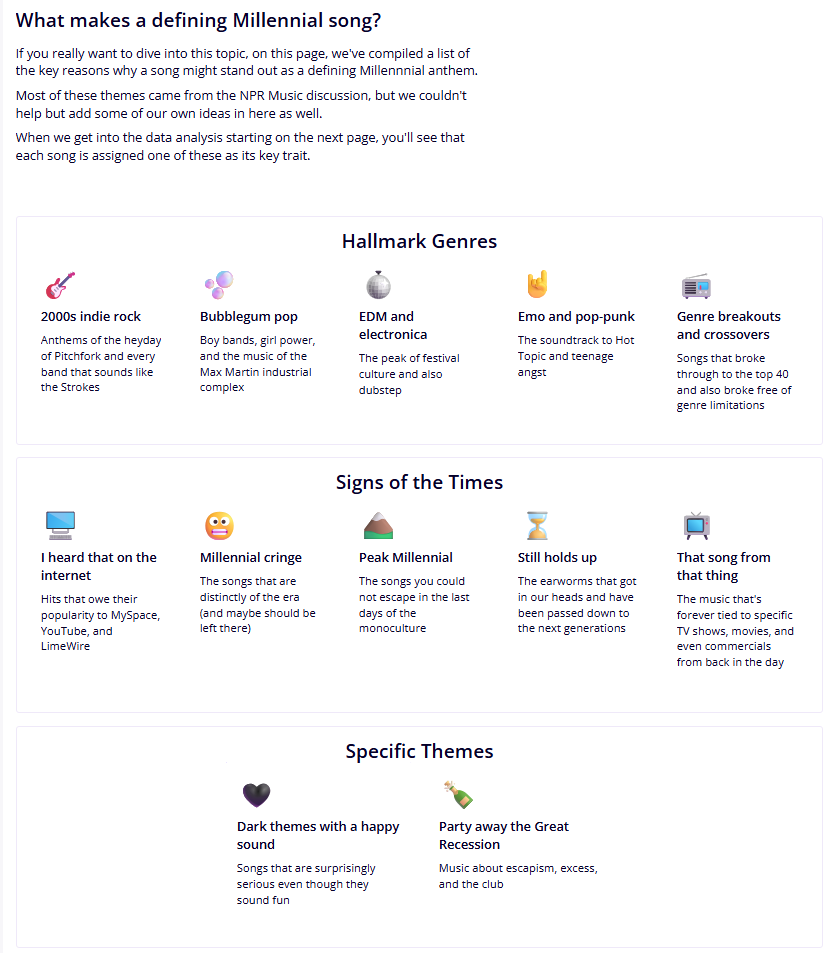
Now that you’ve got an understanding of the concepts behind this app, we can get into the trends and start voting!
The Trends: Making Sense of the Songs
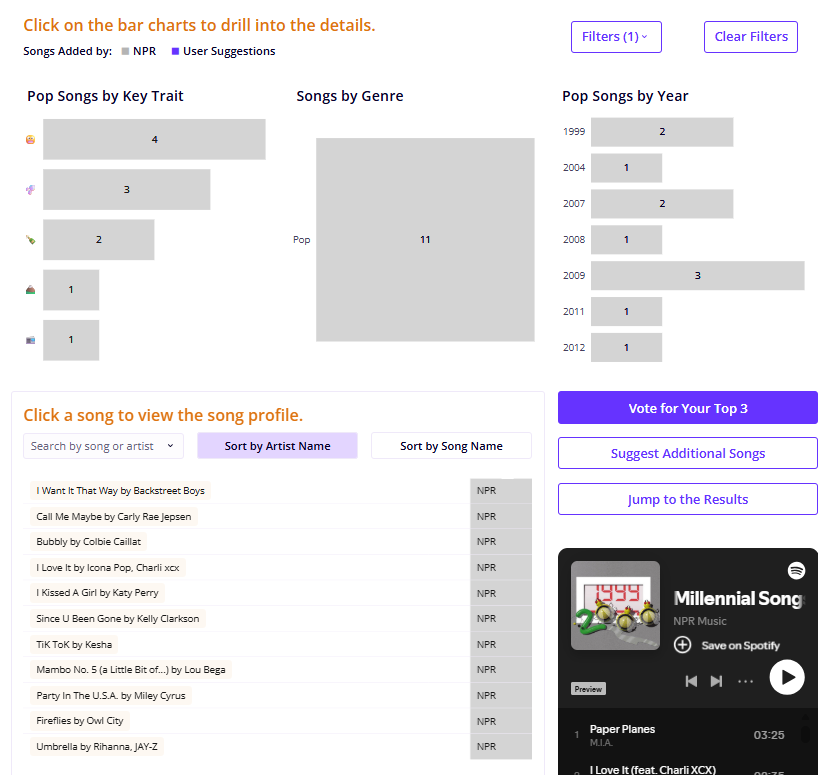
Section 2: Explore and Vote starts getting into the songs that we’ve already identified to slice across their key traits, genre and the year released and look over the full list of songs.
One Sigma feature that I was excited to include was an embedded player that connects directly to NPR Music’s playlist of the 52 original songs. I also enjoyed setting up some interactivity features to drill down into the song list using the bar charts as filters.
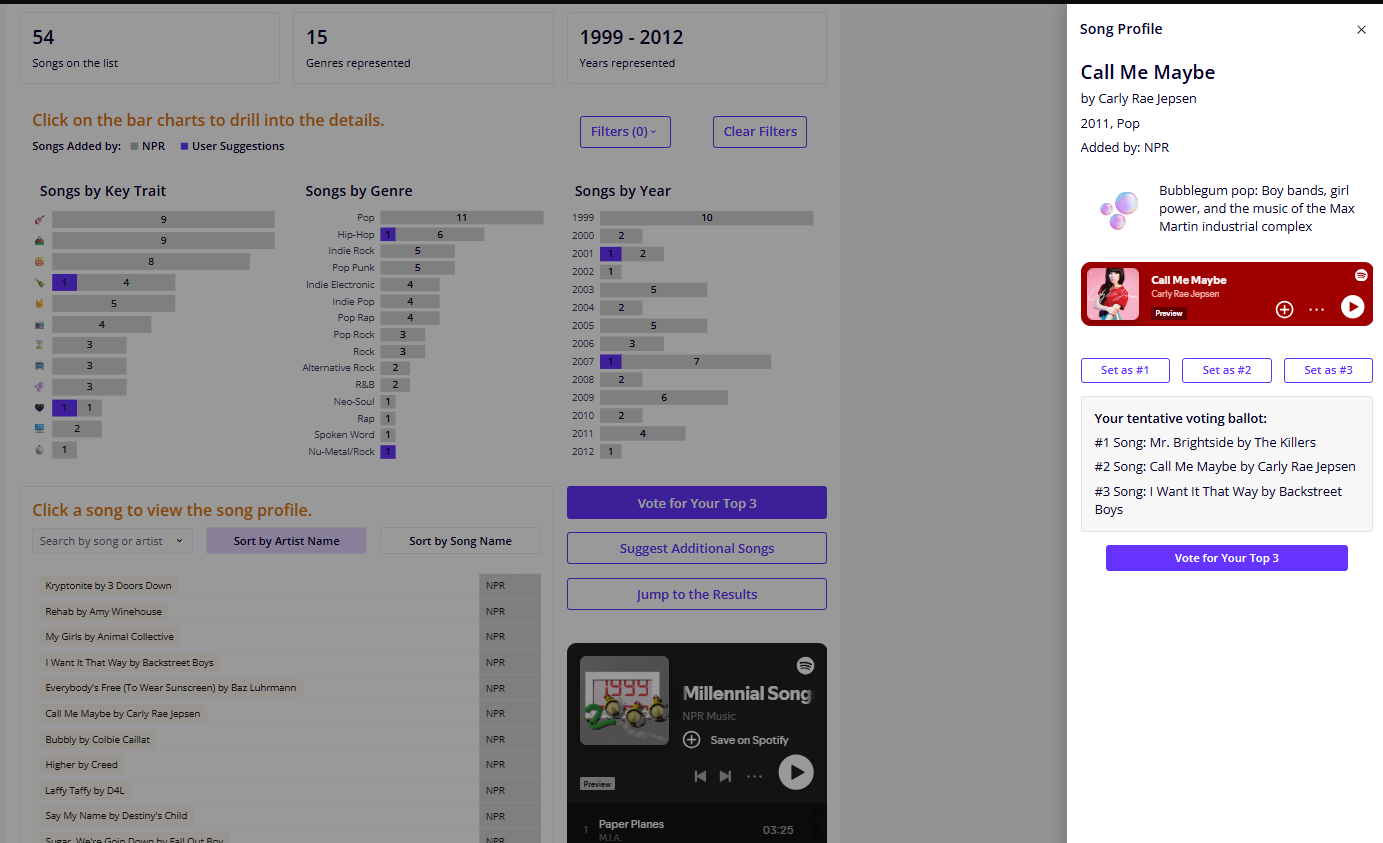
Another highlight for me is the Song Profile Drawer, which slides out when you select a specific song from the list. The drawer displays that song’s attributes and gives you the chance to listen to the song via another embedded Spotify player. It also starts prompting you to think about your top three songs. As you peruse different song profiles, you can start drafting your ballot without having to commit to your final vote quite yet.
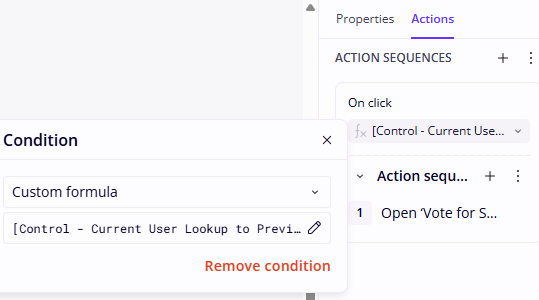
When you feel ready to lock in your top three, you can jump to the voting modal. This is a ranked-choice contest, so consider your votes wisely: your #1 choice is worth three votes, #2 is worth two votes and #3 is worth one vote. Also important to note is that you can only vote once. I have implemented an action condition that will prevent you from even opening the ballot if you have already voted!
Review & Contribute Suggestions is next. Before we jump to the results, I want to take you on a slight detour to one of my favorite parts of this app: the songs that are missing from the list. If you’re anything like me, you’ve thought of at least five songs you wished had been included in the list. Just click the button on the main page or in the voting modal to Review & Contribute Suggestions, and we’ll jump to the Suggest a Song modal.
When I first envisioned this app, I knew I wanted to be able to compile user suggestions, but my next thought was about how hard it would be to ensure the data was clean. Users might have great ideas, but how would I be able to ensure that the correct song titles are attributed to the right artists, genres and release years? Not to mention, how would I ensure that the suggestions even are appropriate for the theme of this app?
Enter the Song Data Curator, which is a Sigma Agent that I’ve developed to: 1) assess if a suggestion is already on the list, 2) evaluate if it fits in this particular app and 3) automatically fill out a form with the song’s details. Play around with the Song Data Curator to finalize your entry and you’ll see the details automatically appear at the end of the modal.
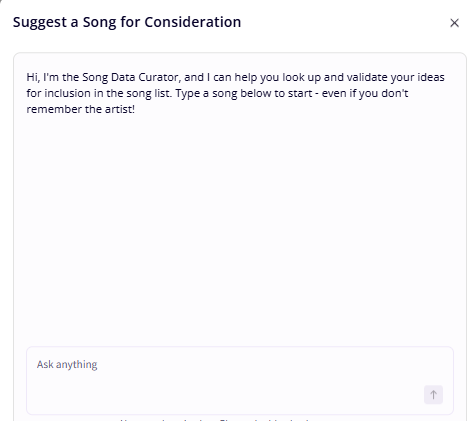
To really control the quality of the data, I have intentionally built this so that the end user cannot modify the song details directly; you have to go through the agent. It’s not personal! I just want to be extra careful about opening up to suggestions from anyone on Sigma Public. The Song Data Curator agent enables me to get input from all of you without also taking on hours of data cleaning.
Once you hit submit, the song immediately gets added to the Other Suggested Songs modal and put up for the user review we discussed above. Feel free to submit as many songs as you like for this process!
From there, you can jump to the Review Suggested Songs modal to see what other users have added and decide whether or not they fit the theme of this app. Click Review next to each song, and either accept or reject the song. Be sure to include your reasoning!
While incorporating user suggestions, I wanted to ensure some degree of peer review to provide another layer of quality control in this app on top of the Song Data Curator. After all, looking for songs that define an entire generation means that we need some broader consensus here, not just one person’s opinion. My solution: build this review process for all suggested songs before they are added to the main song list.
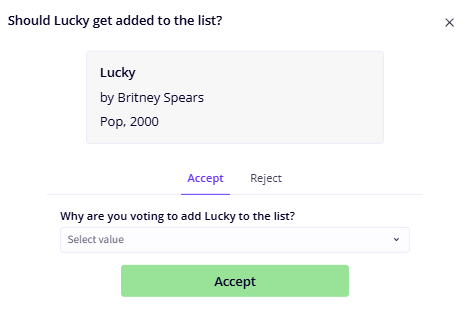
I decided to set the criteria at 10 votes in favor of the song, plus at least a 75% approval rate before it gets moved to the long list. To prevent a user from flooding the poll with votes, I have added an action condition here so that each user can only review each song once. Once a user has voted for a particular song, the review button turns grey and inactive.
But as soon as I came up with that solution, another problem came to mind: Am I going to have to manually check to update the song statuses to the final list? My solution: an automated action runs on a daily basis to check for songs that have met the criteria. That way, I (as the owner of this app) can just sit back and let the app work for me. Once songs have met my approval criteria, they’re just added to the list each afternoon!
After that automated action pulls songs to the main list, you’ll see them reflected in purple on the bar charts on the main page of Section 2, and you’ll be able to vote for them in your top three.
The Results: Ranking the Top Millennial Songs
Of course, our primary goal here is to find the defining Millennial song, so let’s jump to Section 3. Review Results.
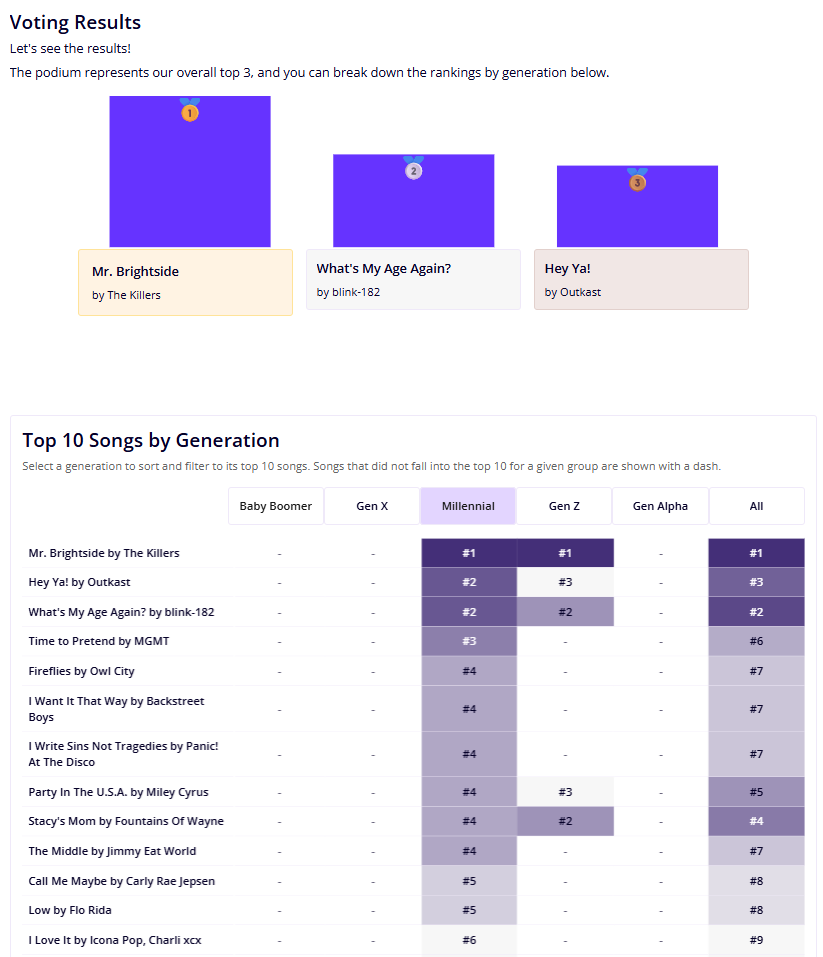
At the top, we’ve got our overall top three represented as a podium, with the songs listed out directly underneath. In the case of ties, you will see all of the songs displayed in scrollable repeated containers.
I also thought that it would be interesting to not only look at the overall votes but also break the results out by generation, which you can see in the lower half of Section 3. You can select either the overall votes or a specific generation’s top 10 songs and see how those songs compare across other groups. This way, we can compare not only what Millennials have determined as their identifying song but also see what the other generations think counts as a Millennial song. I am personally curious to see if there’s alignment across groups (and where we might see some differences emerge)!
Wrapping Up
This Sigma app has been a ton of fun to work with, as it’s given me not only a peppy soundtrack for my workday but also the chance to explore some features like Sigma Agents, automated actions, repeated containers and drawers that can really make an app useful and useable.
On the topic of design, a huge thanks goes to my colleague David Duncan for all of his design and UX/UI contributions to this app. Between David and the InterWorkers who helped review and test the Millennial Songs app, this was a hugely collaborative process. I got many wonderful suggestions from my colleagues about how to better utilize some of the Sigma features above and make the user experience smoother and more intuitive.
Contribute your votes and suggested songs in the Defining Millennial Songs App, and let me know if you have any thoughts on the app! Are there any other features you’d add here, or does this spark any ideas for Sigma apps you’d like to build?