
This blog post is Human-Centered Content: Written by humans for humans.
I’m a software developer, and like a lot of developers these days, I’ve been using Claude Code extensively for the past year and a half. I use it for work projects, personal projects and random tools. Claude Code helped me switch to Arch Linux AND migrated my whole homelab to Kubernetes. So, when I went to the InterWorks 2026 company kickoff and we had great sections on AI and its use cases, it inspired me to share a bit about my own journey and also to relay some things that came up during those panels.
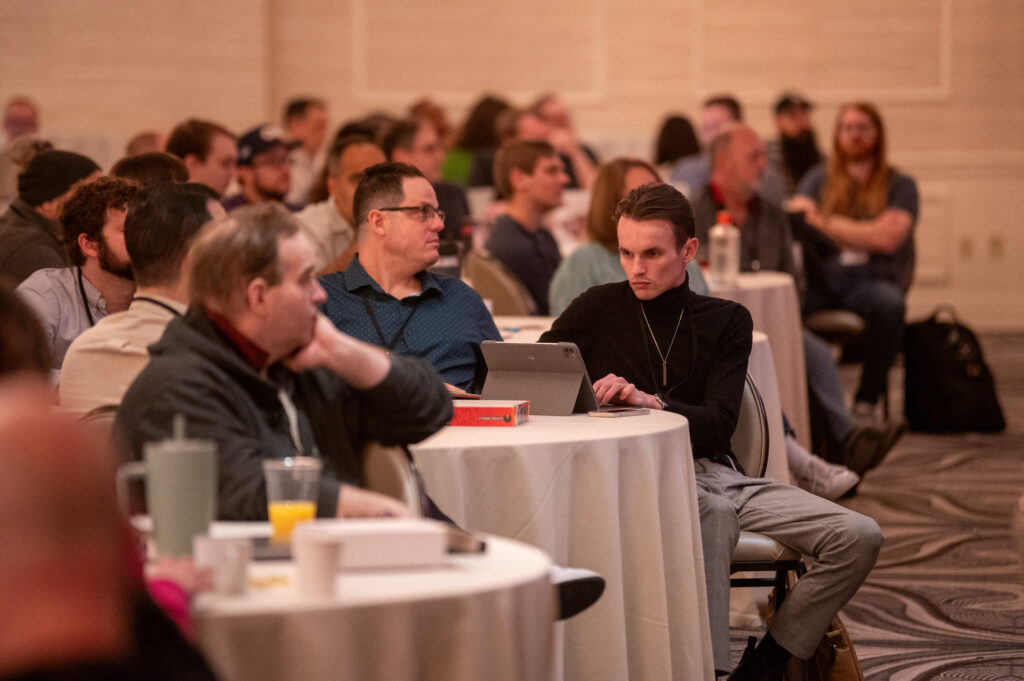
Above: A scene from one of the sessions at the InterWorks kickoff.
Here are a few tips and tricks I gathered from the kickoff that fall into three rough categories: the setup, the work and the ROI maxxing.
Planning Your Work, and Working Your Plan
Back when Google handled nearly every search request, we had no formal “plan” phase outside of academia. Today, planning mode is an actual thing — a real setting that many frontier models employ to focus an LLM’s attention on planning rather than doing.
It helps to think of planning mode like bringing a teammate up to speed. Sure, they COULD just jump right in, but we all know we’d be setting them up for failure if we didn’t first explain what’s going on and what we’re trying to accomplish.
When I migrated my homelab to Kubernetes, I didn’t just say “migrate my docker-compose setup to k8s.” I walked Claude through my current setup, what services I was running, what I wanted the end state to look like, and the constraints I was working with. Same story when I switched to Arch Linux — I explained my hardware, the desktop environment I wanted and the workflow I was coming from.
Planning up front can be the difference between a fast, focused session where you’re getting things done in the time you expected, versus one where you’re backtracking and fighting Claude.
Setting Initial Context
A good way to avoid fighting any agent is by setting its initial context. Claude and other agents will automatically read a dedicated file at the start of every session. This means you can inject personalization into every conversation.
You could tell Claude about your systems and what software you prefer. You could tell it about yourself, or simply things localized to a specific project. The information can be as simple or complex as you’d like — results vary, of course.
I keep a CLAUDE.md file in every project and a global one in my home directory. They describe my environment, my preferences, and pointers to other docs. When Claude starts a session, it already knows I’m on Arch, that I use bun instead of npm, and where to find my system documentation.
Plans Become Documentation
Plans can become great documentation too. Once you’ve created a plan, you’re on your way to building a knowledge base that an agent can tap into in subsequent runs to be that much faster and smarter.
You Can Just Do Things
“You can just do things” is a phrase thrown around online quite a bit, but the sentiment is real: The effort required to do any given thing on a computer is approaching zero. The tax we used to pay — the research, the trial and error, the Stack Overflow rabbit holes — is reduced or eliminated entirely. Might run up a token bill, but who among us hasn’t?
Since the tax of trying is approaching zero, if you get a bad output, just regenerate it. Wrong approach? Start over. You’re not wasting anyone’s time. Both you and your agent learn from success and failure.
Going a step further, you can parallelize. Run five different agent sessions if you want, all trying different approaches, and see which one lands.
With all those attempts, things WILL break. That’s okay. That’s expected. And actually, with an agent, the effort to understand the problems in your project also goes to zero. Don’t be afraid to dig into something you know nothing about with Claude. Ask it to break a problem down into its fundamental parts until you understand.
That’s what makes trying with agents feel truly free — Claude isn’t just doing the task for you, it’s teaching you along the way. You can approach any subject with zero background, tell Claude you’re a novice, ask for an introduction and keep asking questions until it clicks.
ROI Maxxing
ROI maxxing means maximizing your return on investment. The investment is your prompting and chatting with an agent. To maximize returns, there are things you can do once you finish a task that make both you and the agent smarter.
Ask the agent “what did you learn.” After a session where you solved something tricky, ask Claude to summarize what it discovered. Sometimes Claude finds things about your codebase or system that you didn’t know yourself.
Tell the agent to create documentation. Have Claude document the completed work — the decisions made, the gotchas encountered, the final architecture. This becomes reference material for future sessions.
Have the agent commit your work. Let Claude write the commit message. It’s seen all the changes and understands the context better than a hastily written message you’d write at the end of a long session.
Update living documentation. System docs, CLAUDE.md files, project READMEs — keep them current. After making changes to my Arch setup, I have Claude update my system changelog so future sessions know what’s configured.
The next time a new chat is started, the agent is that much smarter because it either has the context directly, or knows where to find it faster. Every session compounds on the last.
Wrapping Up
These three phases — setup, work and ROI maxxing — aren’t separate activities. They’re all part of the same conversation. The best sessions flow naturally from one to the next: Set the context, do the work, capture what you learned. Rinse and repeat.